Web Exploitation
[SOLVED][very easy] Trial by Fire
Trial by Fire is a classic SSTI challenge. For those who are completely new to this, SSTI or Server-side Template Injection is a vulnerability in templating engine of a website that allows for arbitrary code execution. Like almost other web vulnerabilities, this is possible because user’s input is not sanitized.
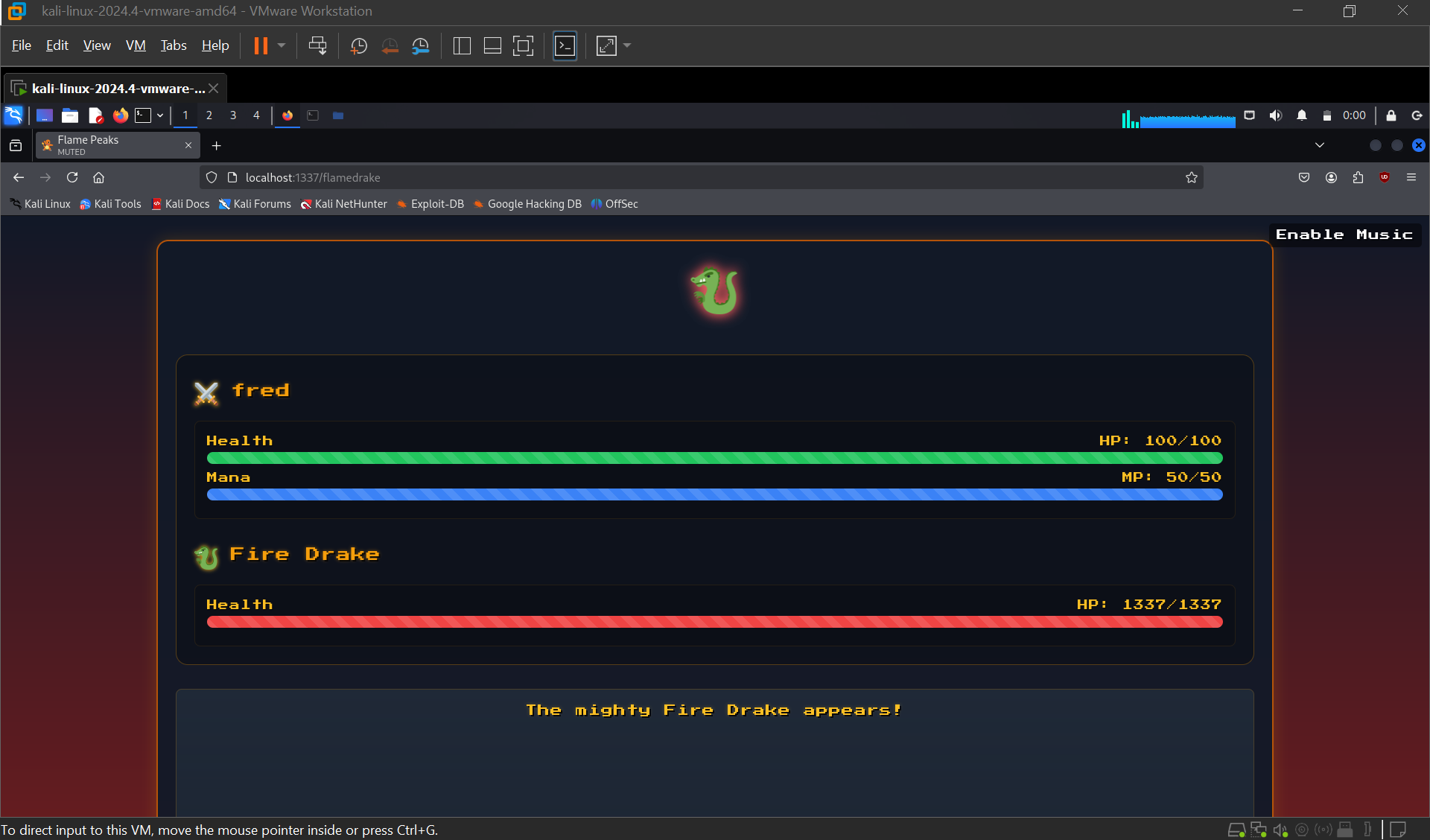
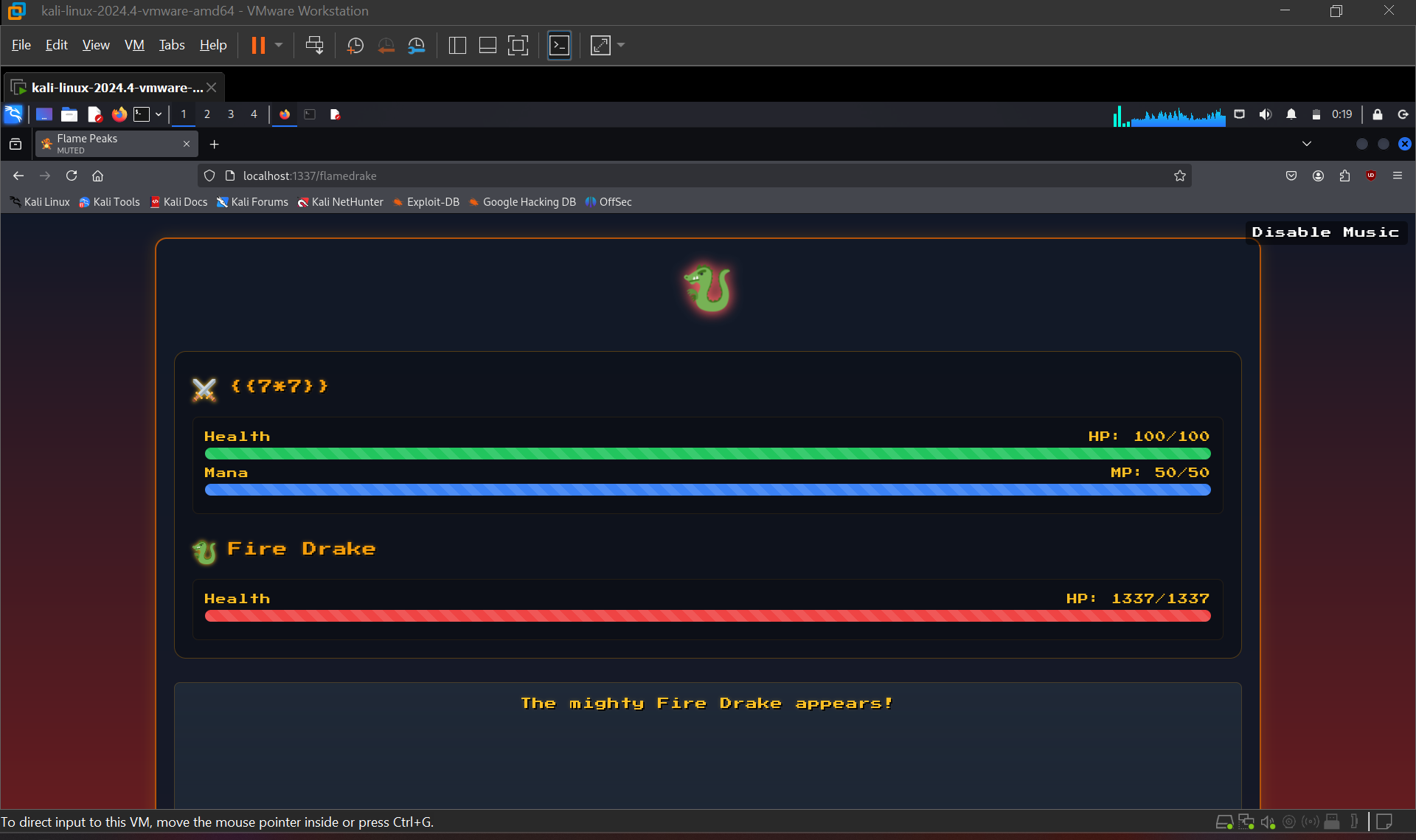
Template engines are used to have consistent UI for the frontend side of the web. It combines dynamic input and the template to achieve that. For example, in this challenge, the website first ask for a name that will be rendered on the next page:
If we look at the source code, this is what happens under the hood to make that possible:
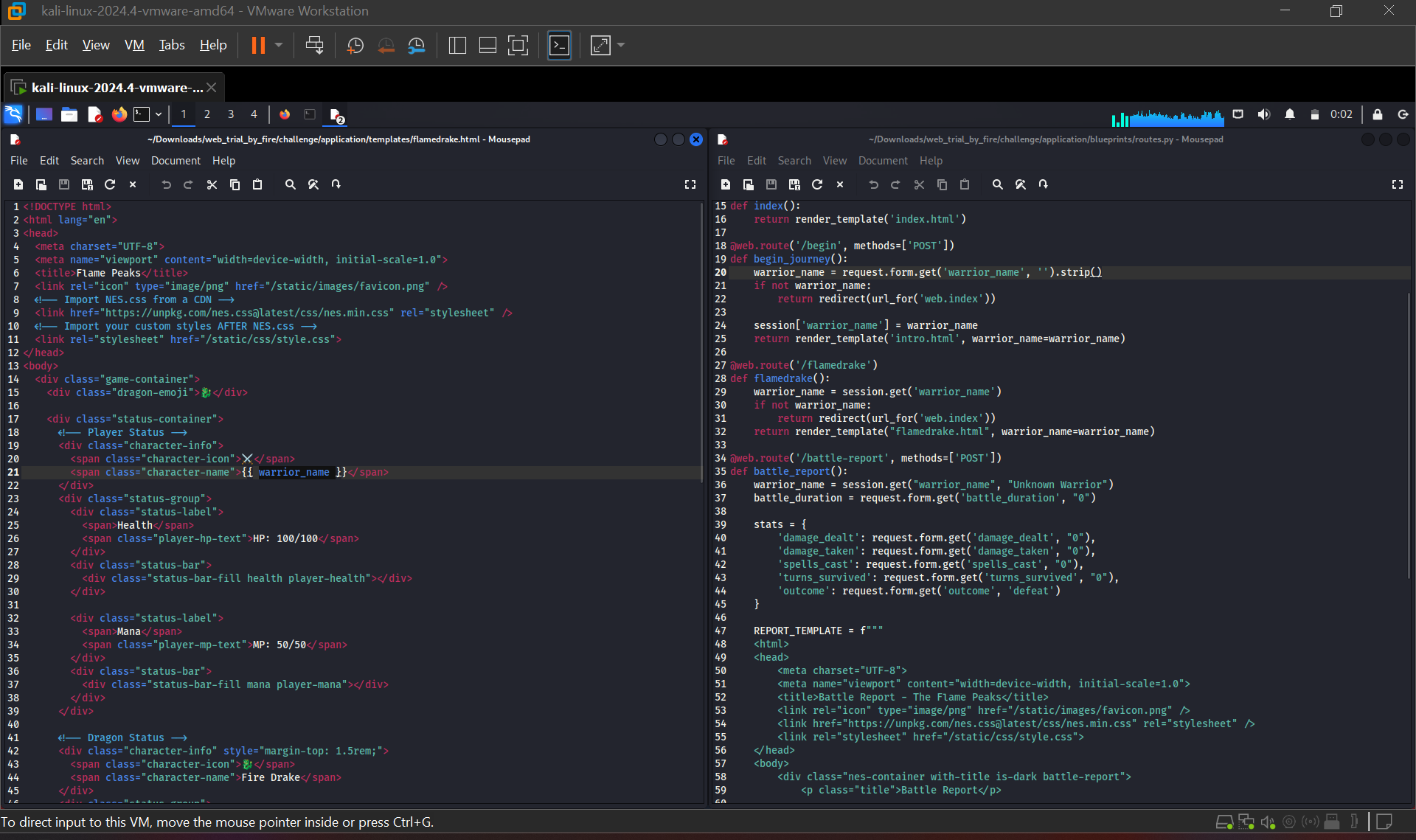
Notice how the warrior_name variable (line 21, left) is directly supplied from the form data the user just inputted (line 20, right). You can also see how these templates work by opening the plain HTML files, which kinda gives away the vulnerability:
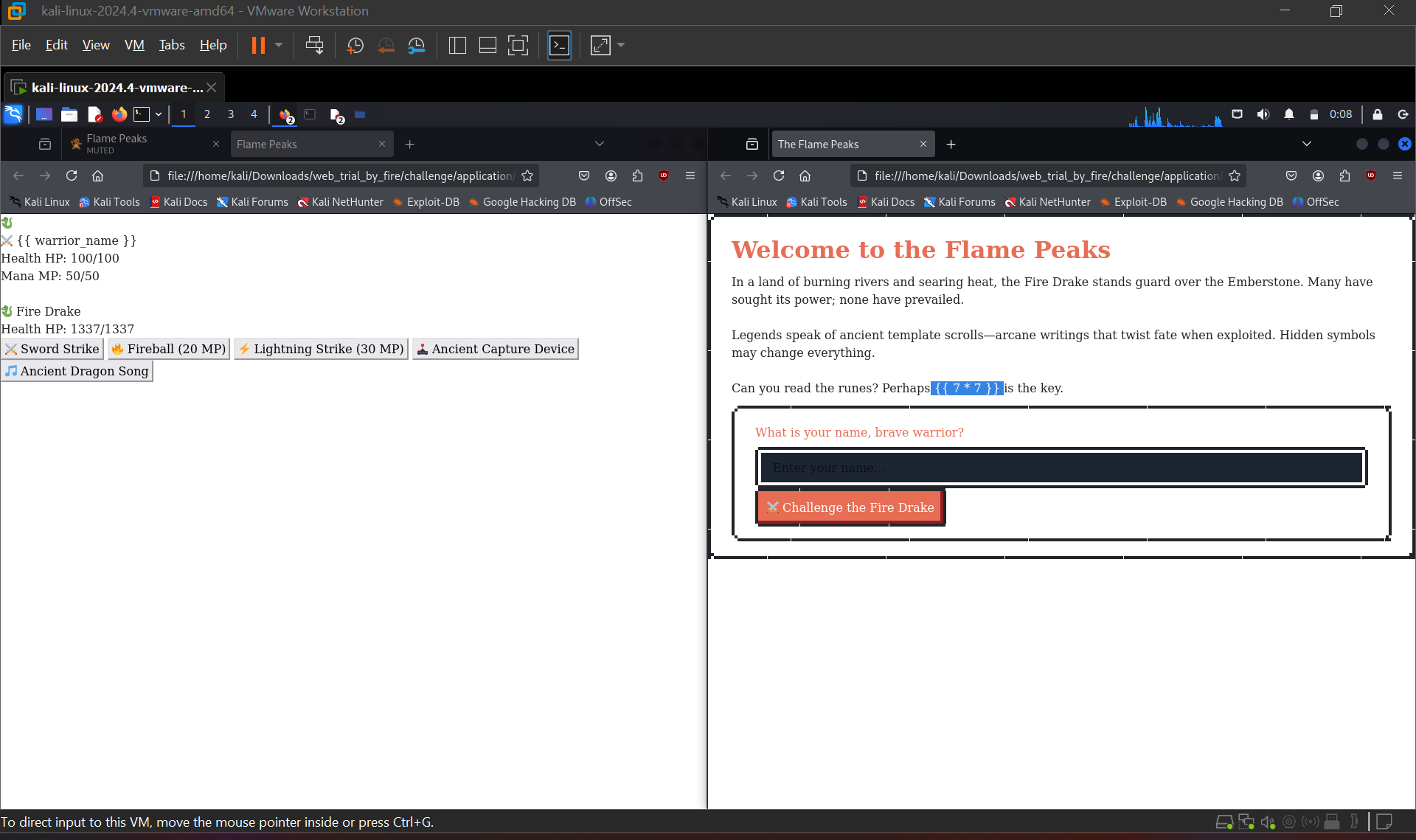
{{ 7*7 }} is a classic way to check if a website is vulnerable to SSTI, depending on the output (49 or 7777777), we can determine the type of template engine used.
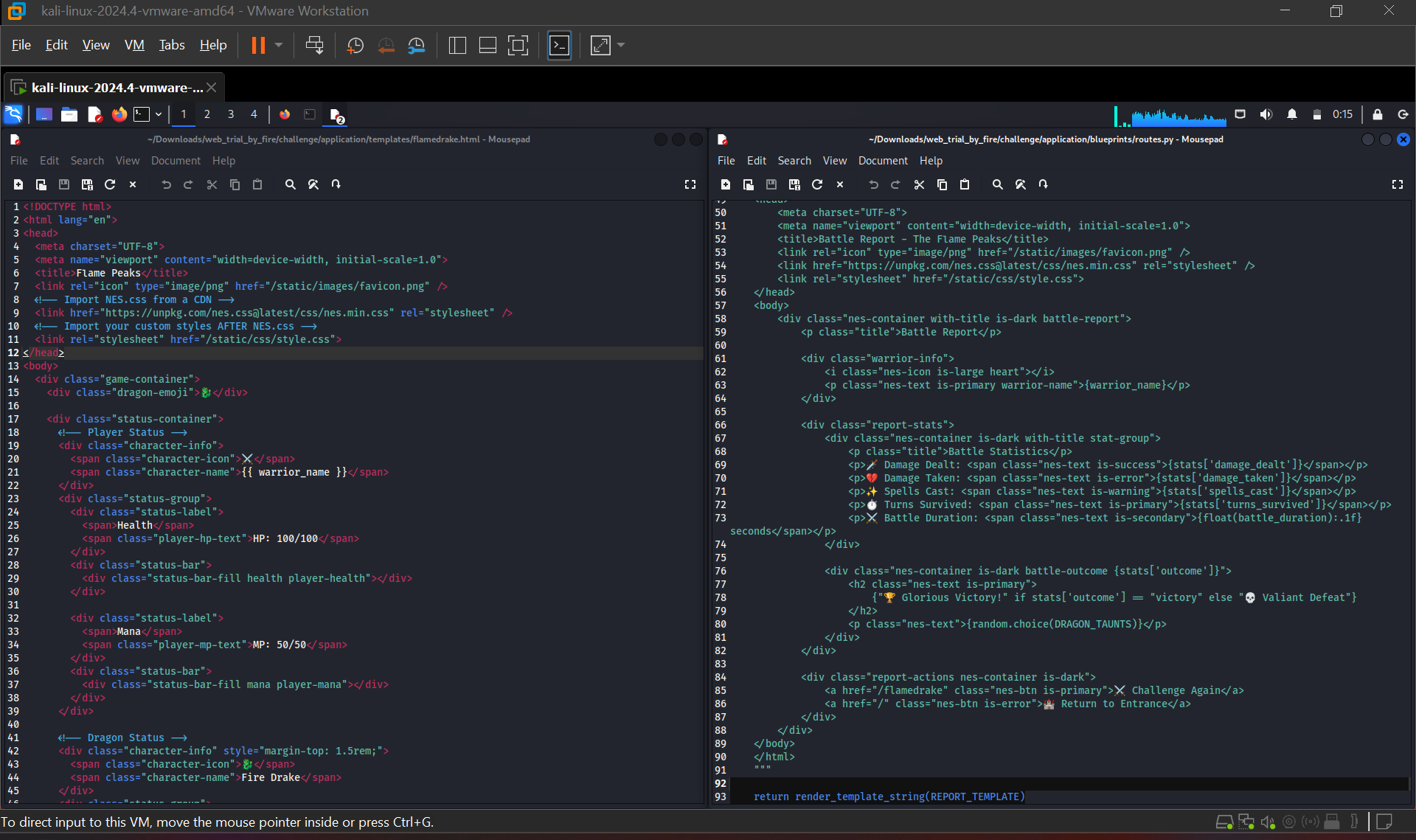
However, we must make a distinction between the function render_template() which is used to render the warrior name and the function render_template_string() which is used in another endpoint. The latter is what we’re trying to attack, since it takes the literal string of the user input without consideration. If we try supplying {{7*7}} as our warrior name, it’s not going to work. Well, not directly anyway :)
Looking from the routes.py source code that governs the routes/endpoints of the server, we can see that the route battle_report takes a POST request that uses the vulnerable function mentioned earlier. So, using burpsuite and supplying random data to send the POST request, we are greeted with this:
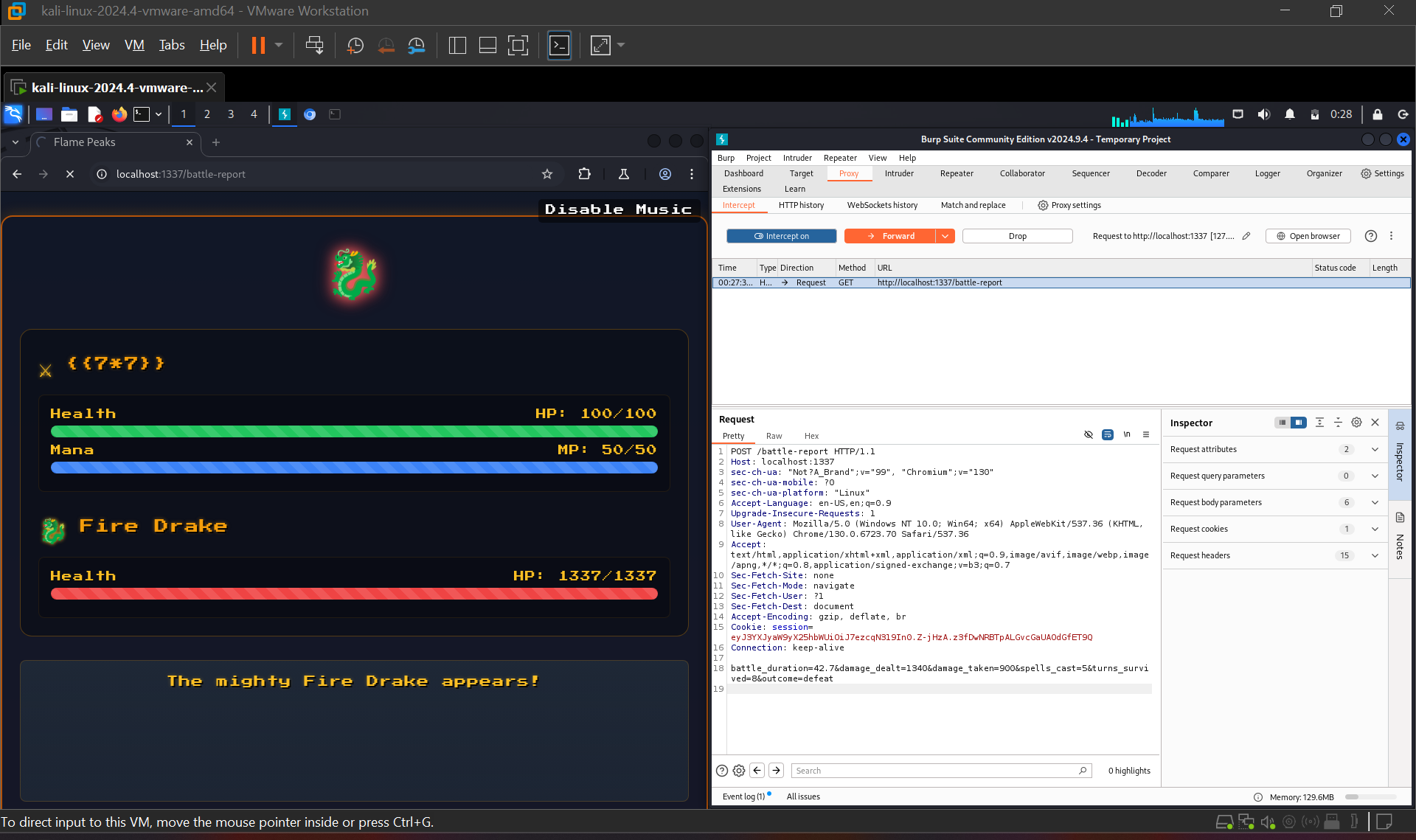
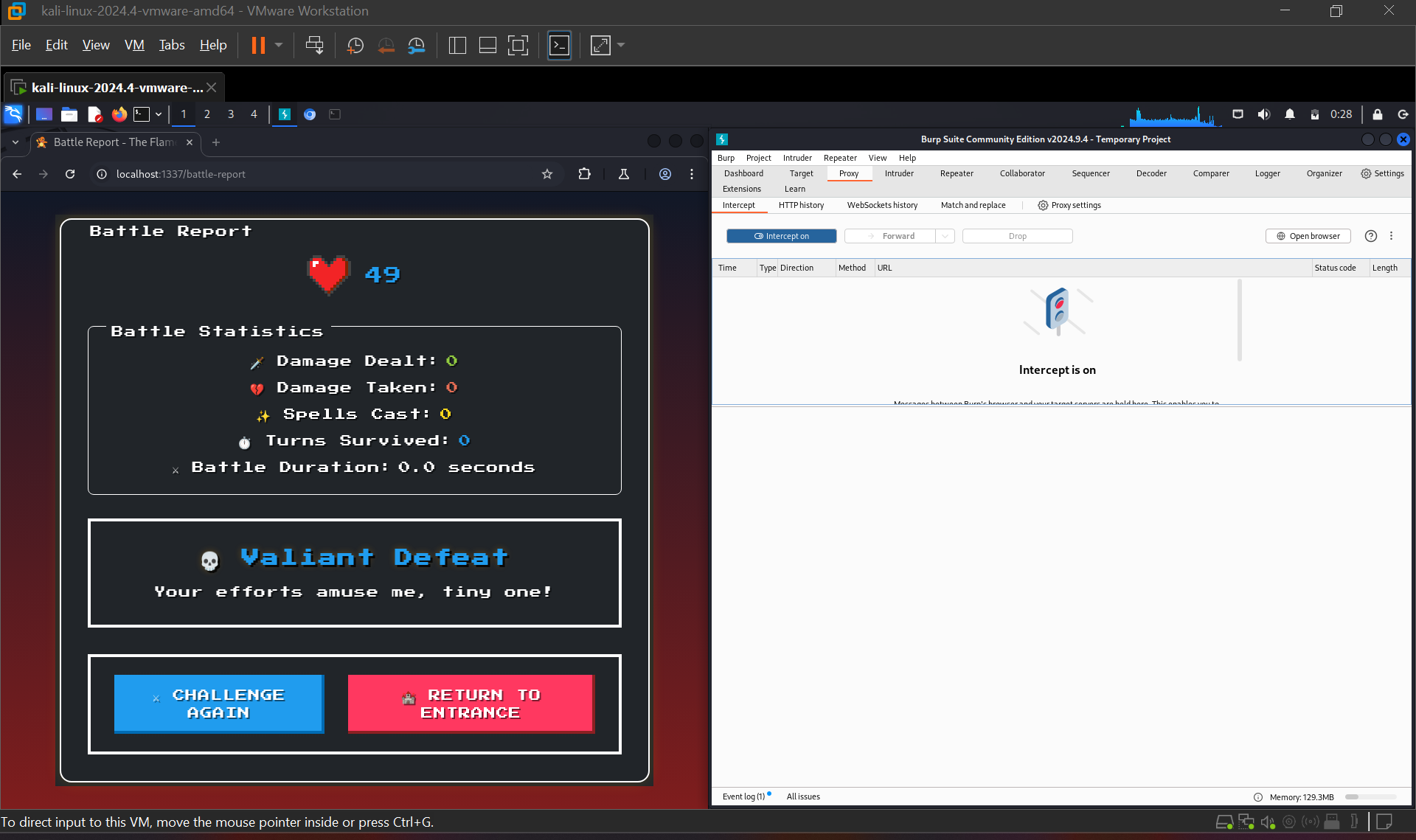
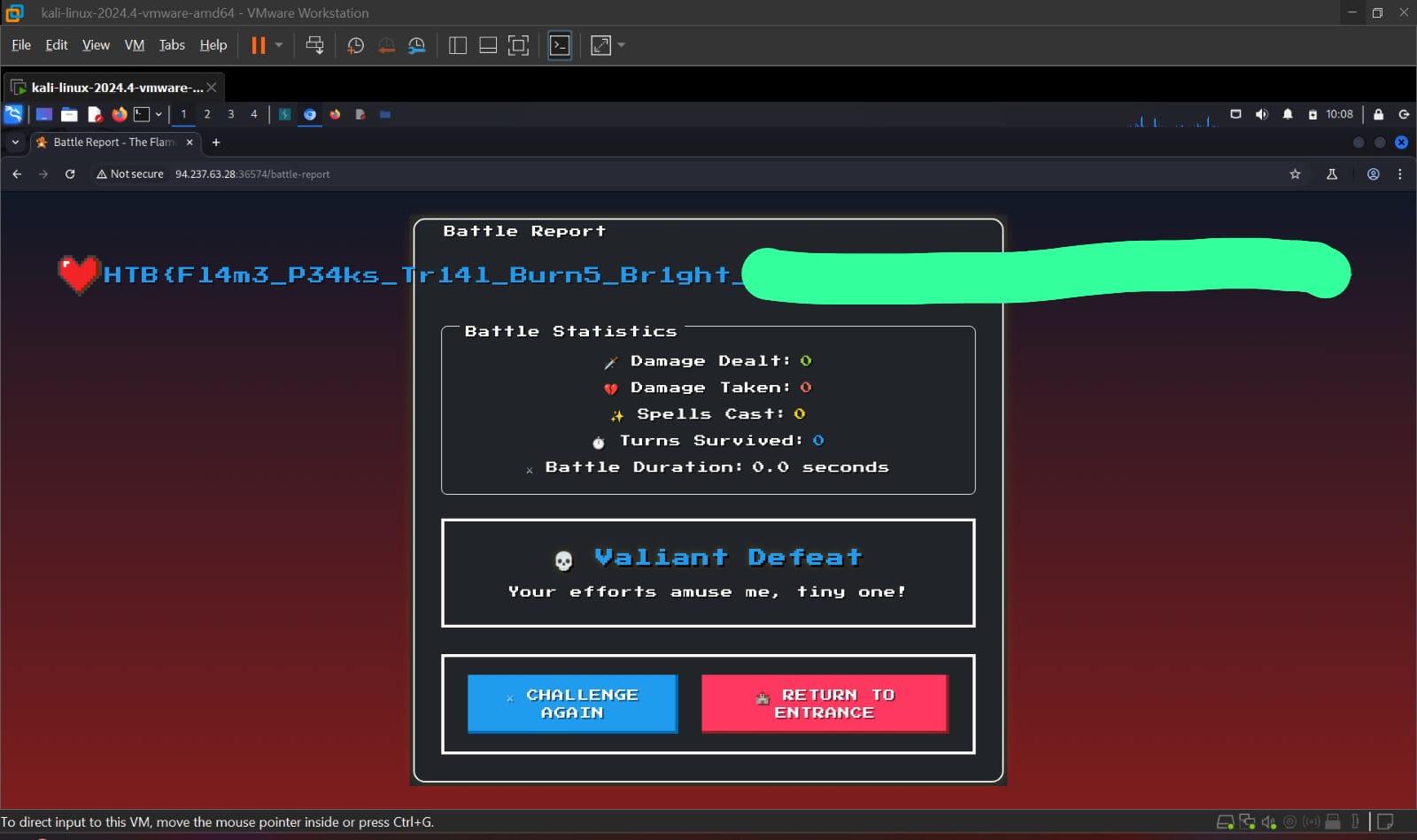
We see that the vulnerable function renders user’s input directly! Now, we just need to supply the payload inside our name and send a POST request to the battle-report endpoint. This is a common payload used for injection:
{{self.__init__.__globals__.__builtins__.__import__('os').popen(your_bash_command_here).read()}}
Tip: use URL encoding and the ${IFS} character as a substitute for space if it (even after URL-encoded) breaks the query.
Forensics
[PARTIALLY SOLVED][easy] Silent Trap
Forensics challenges are always fun because they’re more of analyzing and answering questions than to exploit something :D. Anyway, for this challenge, I was given a pcap file. The premise of this challenge is an administrator losing access to his system because of a malicious email attachment. The tasks (paraphrasing) consist of:
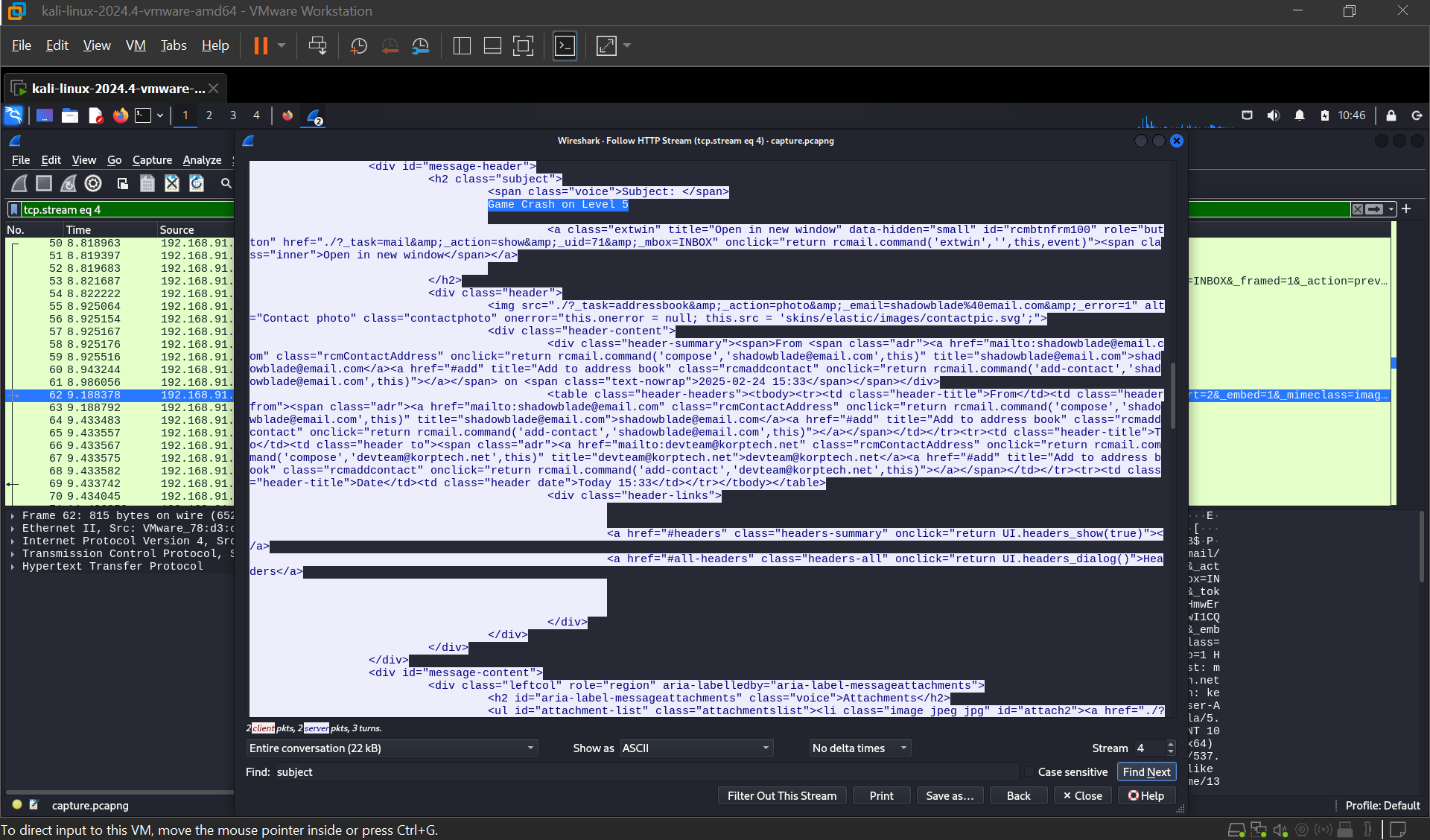
What’s the email’s subject that leads to compromise?
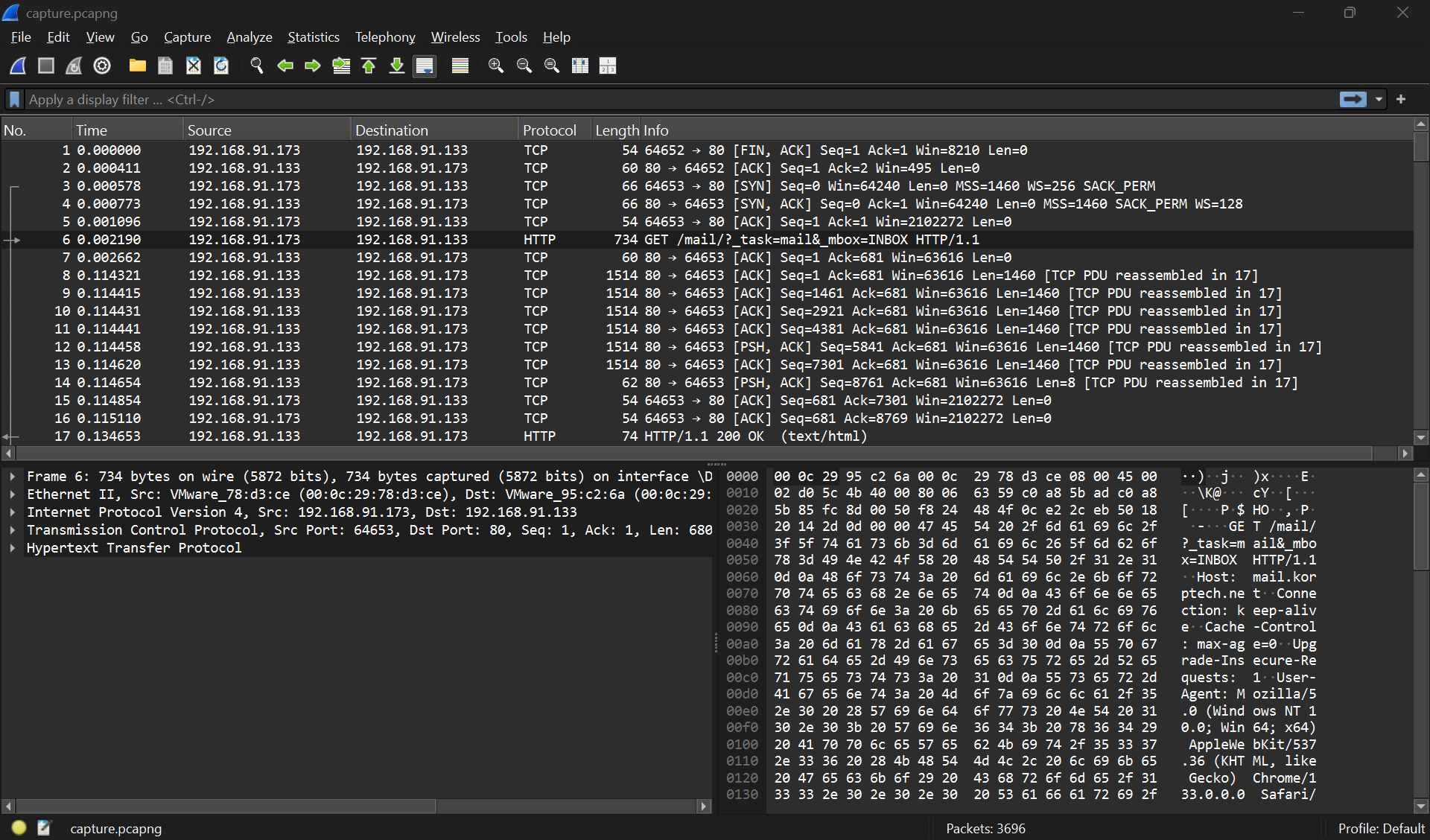
It is clear that most of the pcap file will be HTTP request by the victim and IMAP communication made by the attacker to the victim’s compromised email. Here, we have a clear HTTP request of GET-ting the mail inbox from the victim.
After following the TCP trail of this GET request, we will have this conversation:
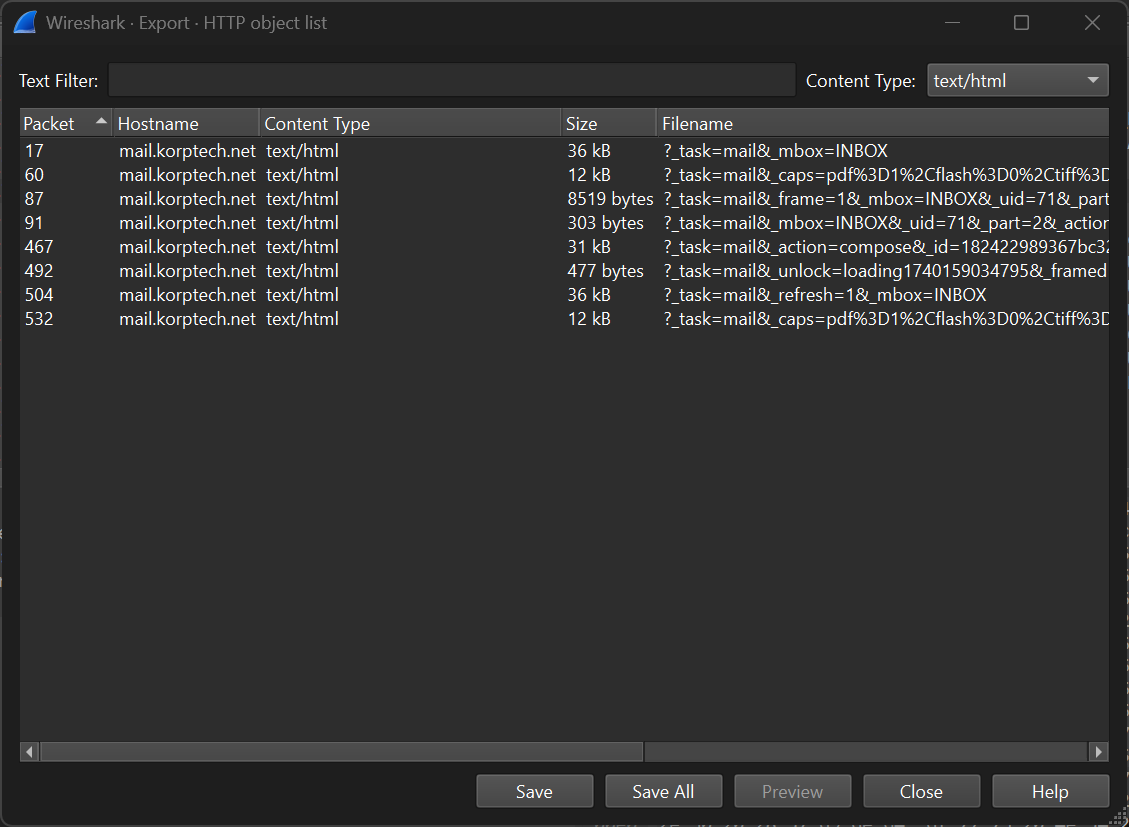
To make it easier, you can also go to File > export objects > HTTP and filter for text/html
When is the email with the malicious file sent?
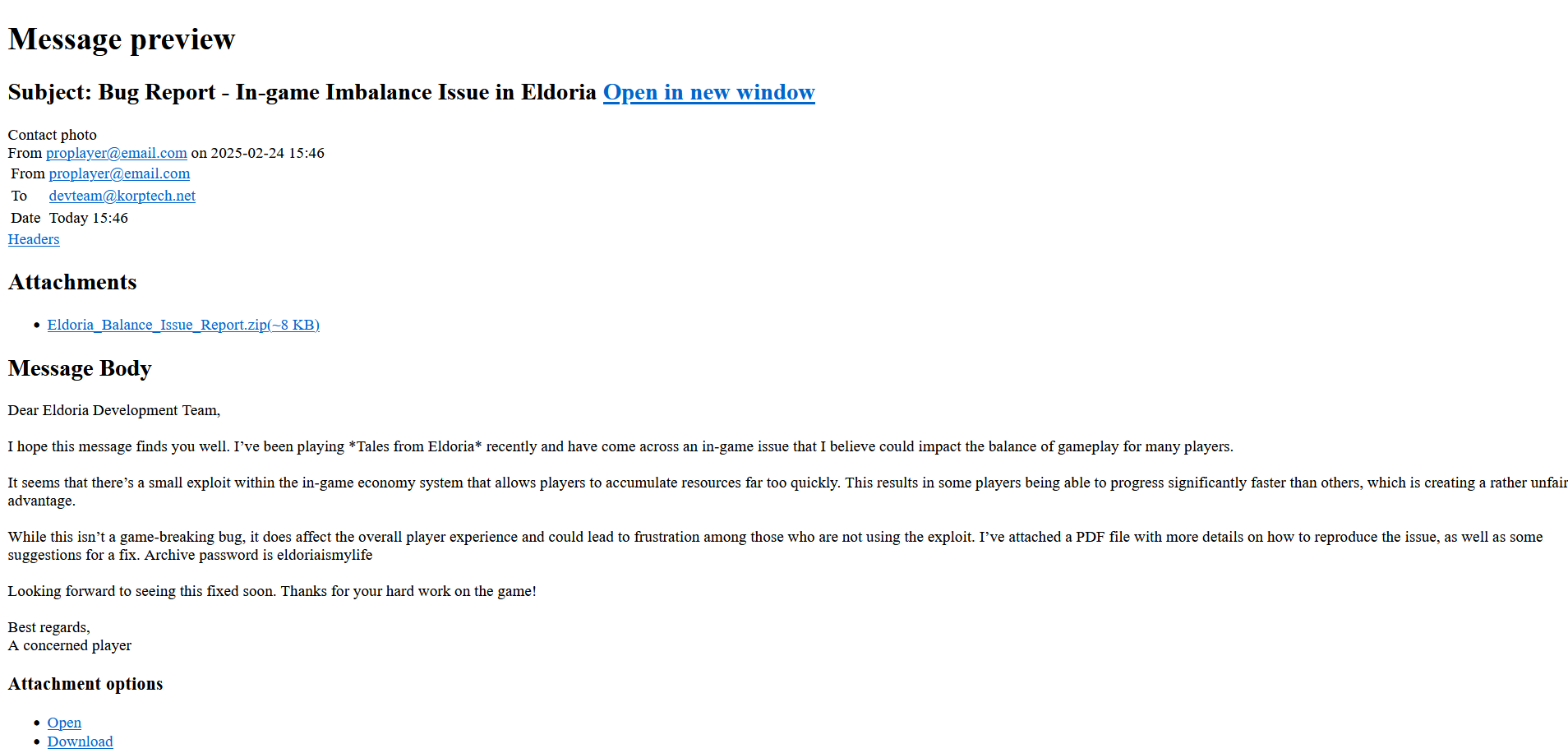
Now this can be a bit confusing because the email we found earlier is not the same email that caused the administrator to lose access. After this email, a reply was sent by the admin, until a new email from a different user came. This email was really suspicious because it had a malicious attachment with the .exe extension masked as a .pdf file, zipped to avoid scans by email servers.
What is the md5 hash of the malicious file?
If we again follow the TCP stream, we can see the binary data of this malicious file just out in the open, ready to be inspected:
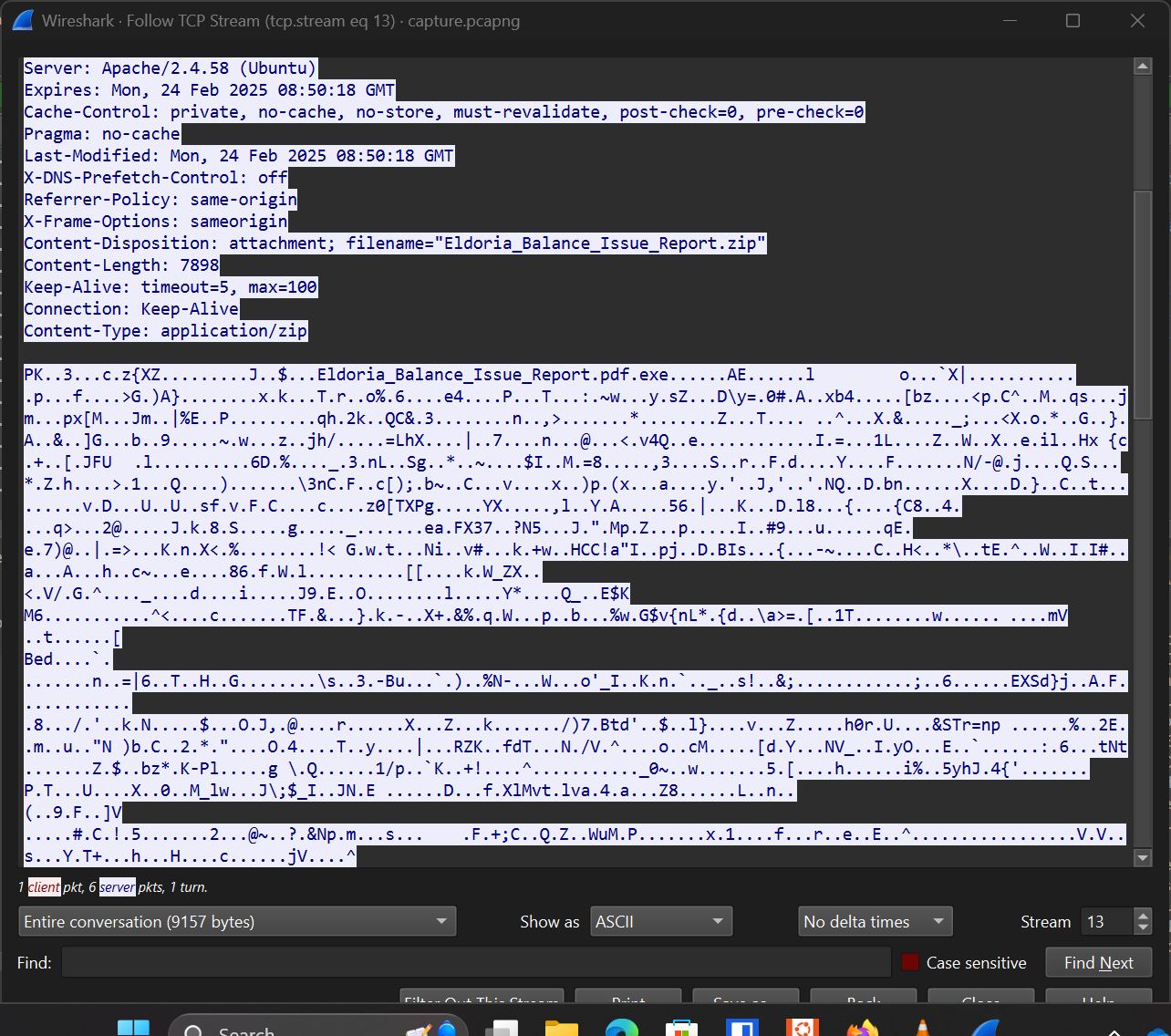
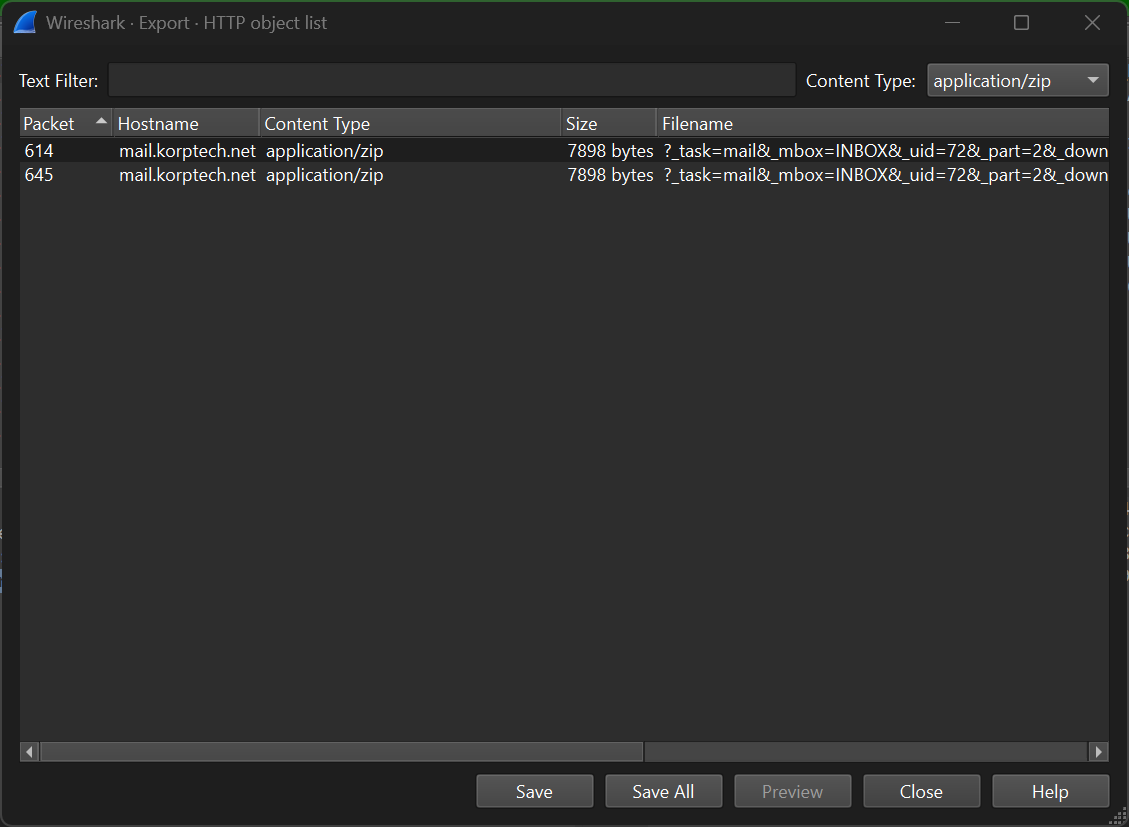
No one’s stopping you from just copying the binary stream from this conversation, but it’s not recommended since it will not return a valid file. An easier way is to use the export objects functionality again and filter for application/zip this time. You can then save the file and compute the md5 hash that way (but please don’t run the file since it’s an actual malware).
What are the credentials used for compromise?
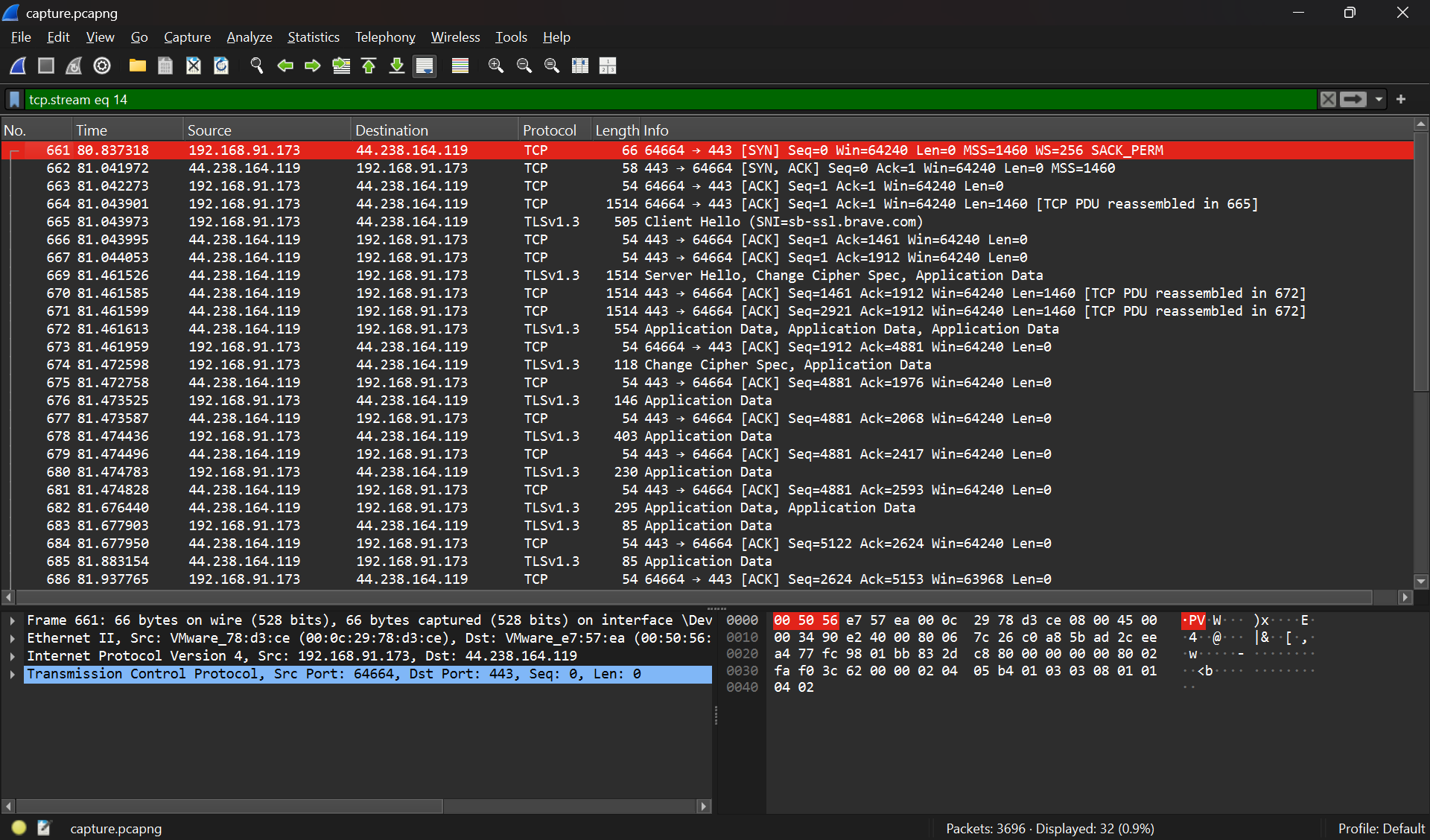
If we follow the trail after the compromise, suddenly there’s a TLS handshake and a request to use IMAP over the 143 port.
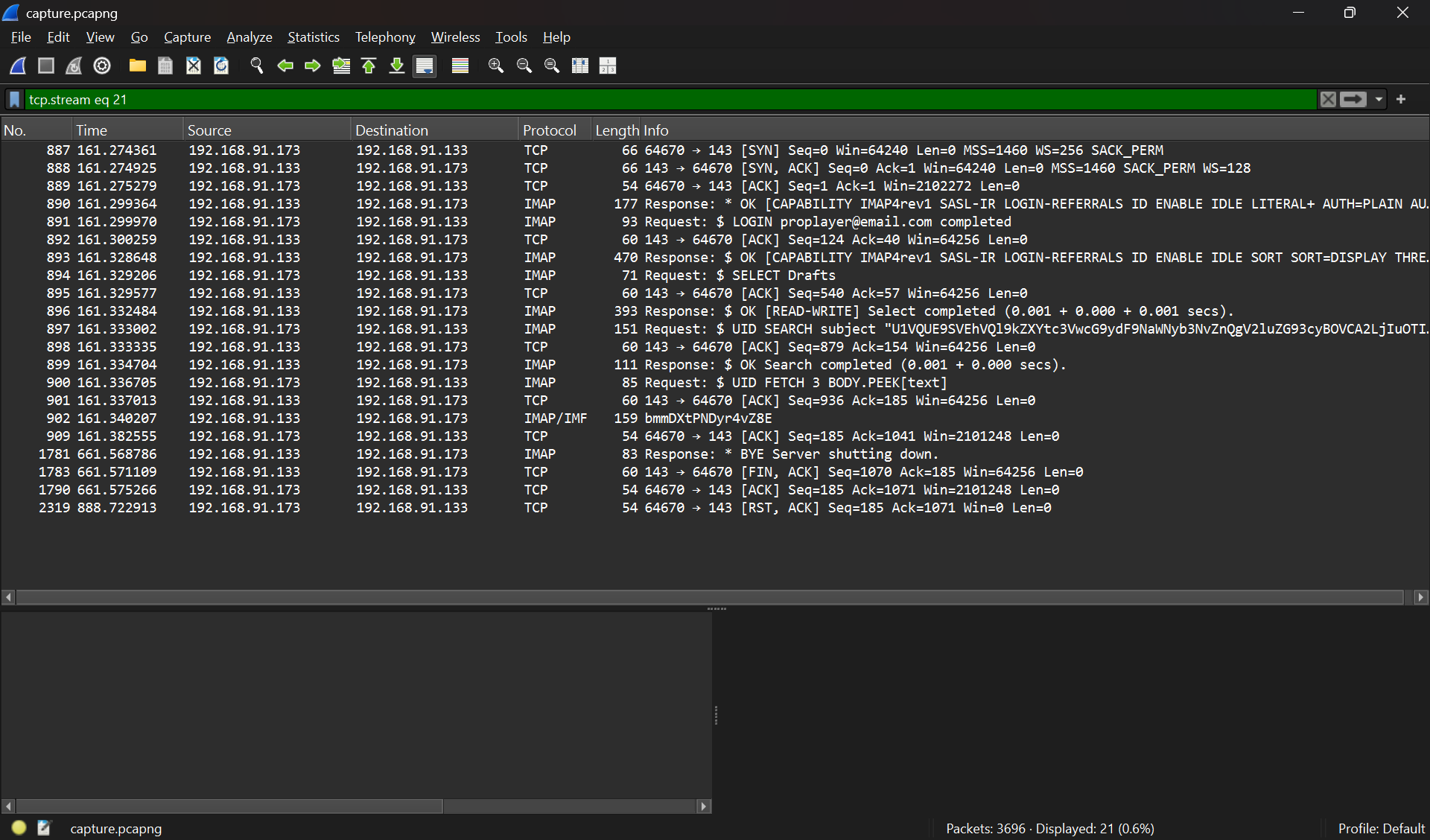
If you’re familiar with how IMAP works and what commands are used, you can see the credentials from one of the logs. Take a look at the LOGIN command, it needs a username (in this case proplayer@email.com) and a password (in this case, completed). It was a bit confusing for me because I thought the password was hidden since completed is a misleading word but apparently that’s the password.
Tangent: What the hell was that file anyway?
I didn’t finish the last 2 challenges because it required me to reverse the malicious binary. Out of desperation of trying to reverse a Windows/.NET binary (prior to this challenge I didn’t know dnspy exists), I ran the malware on my Windows laptop and let Windows Defender blocked it. It gave me some information about what it is, especially the threat name. Although if you visit the official documentation by Microsoft, it gives you nothing. However, after Googling part of the binary/threat name, I came across this malware:
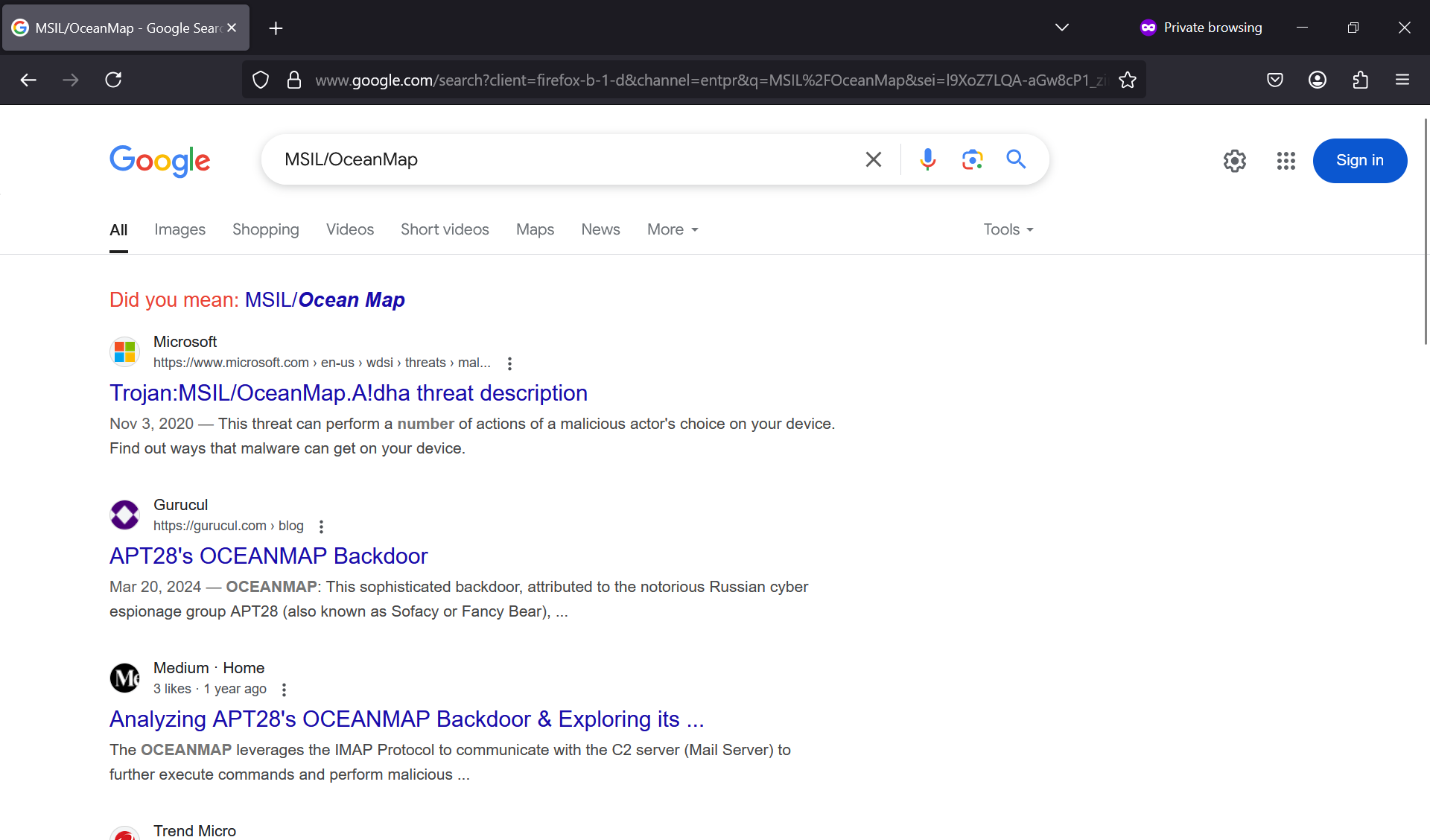
By this kind of adversary… that is at least as old as me… (and this challenge is easy??)
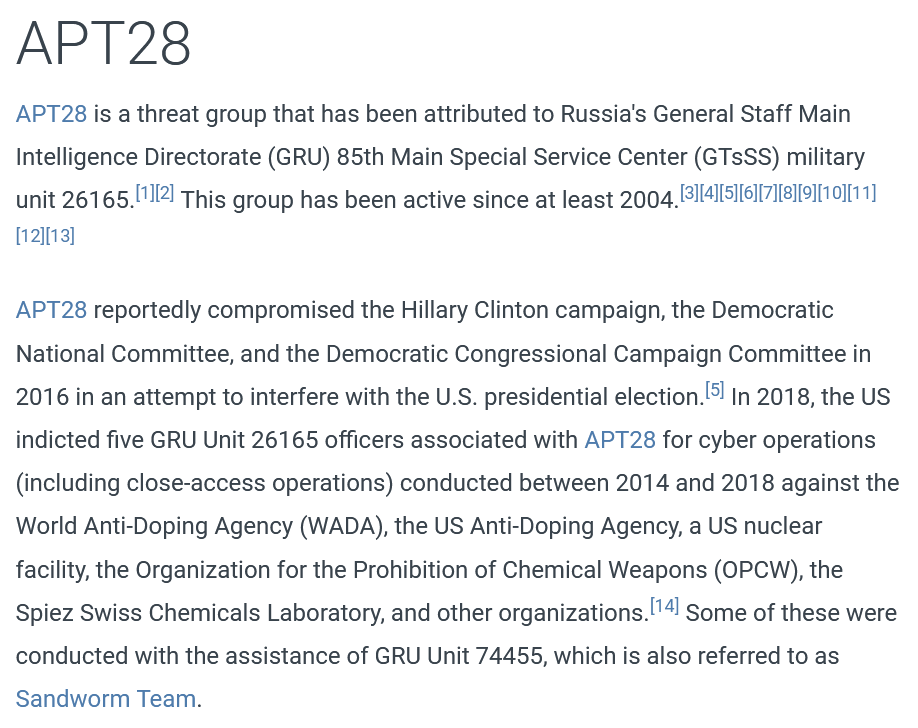
Anyway, after reading this cool medium deep dive, I got a sense of what the malware was doing and it did correlate with our pcap data. Oceanmap uses IMAP to communicate with its C2 server. After a successful login, it will then make a draft email with the subject encoded in base64 that consists of the victim machine’s name. This serves as an “identifier” for the malware, to see which machine is which.
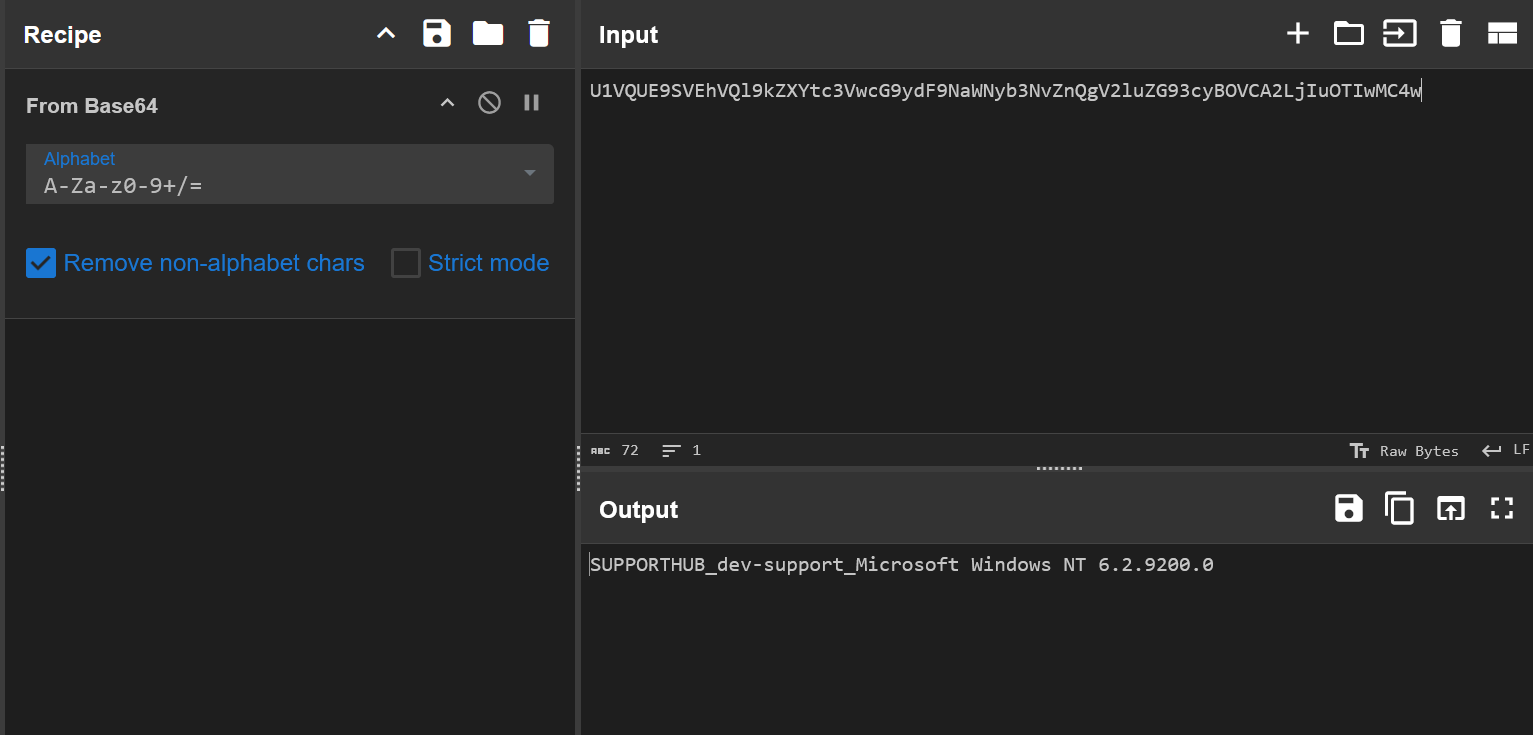
After that, it will fetch the body of the email that is also encoded in base64. The body of the email contains the actual command sent by the C2 server. This aligns with the pcap we have:
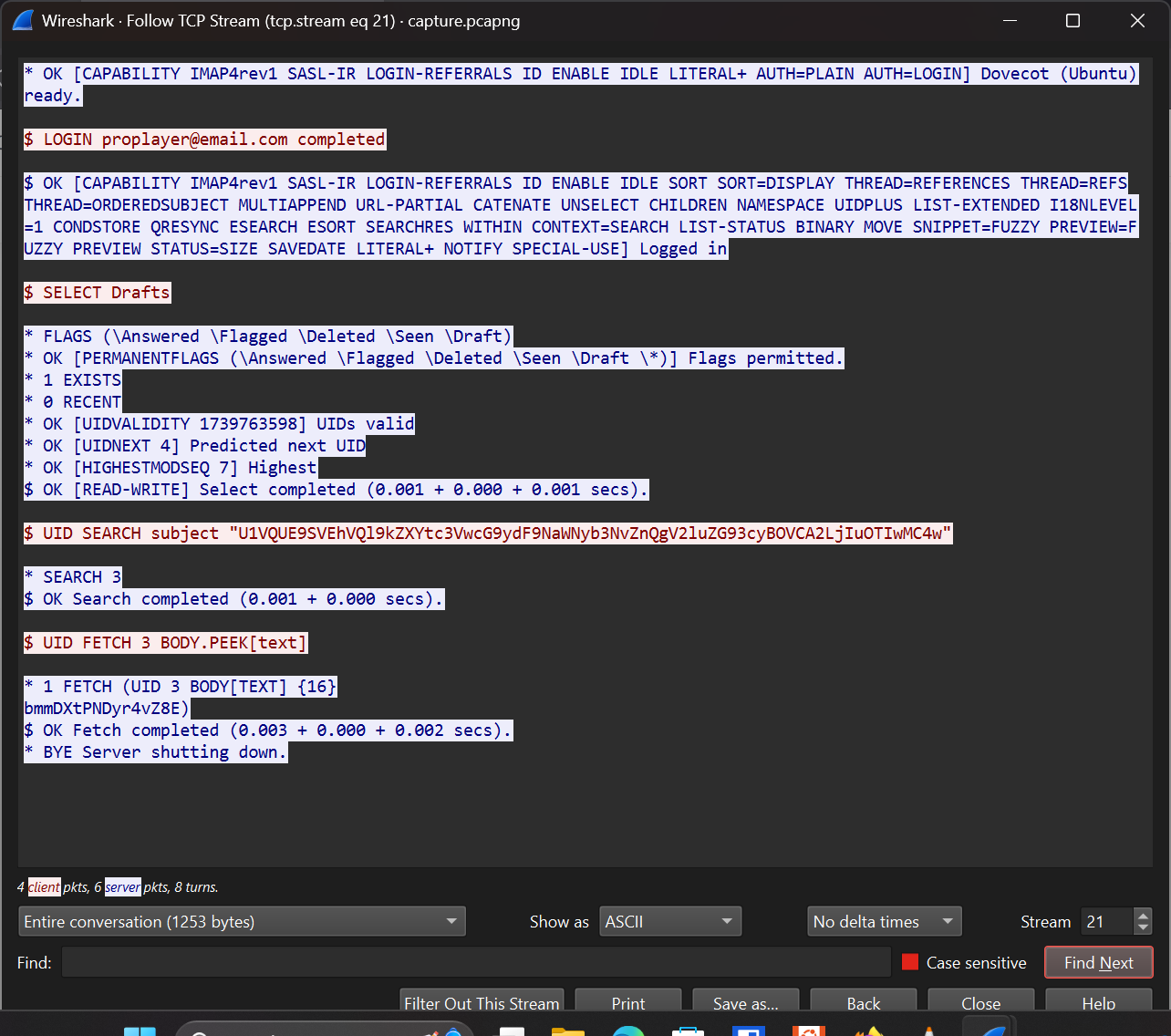
However, the binary given for this challenge acted different than the original malware used by APT28. For starter, the original malware has a capability to stay hidden by deleting its presence, or in this case, the draft of the email. Meanwhile, the HTB binary does not have that (I guess this is an easy challenge). However, the body of the email sent by the original malware was only encoded in base64, but the HTB binary was NOT. And this threw me off guard because without the ability of reversing the binary, I didn’t know what encryption scheme they have apart from the obvious base64 encoding.
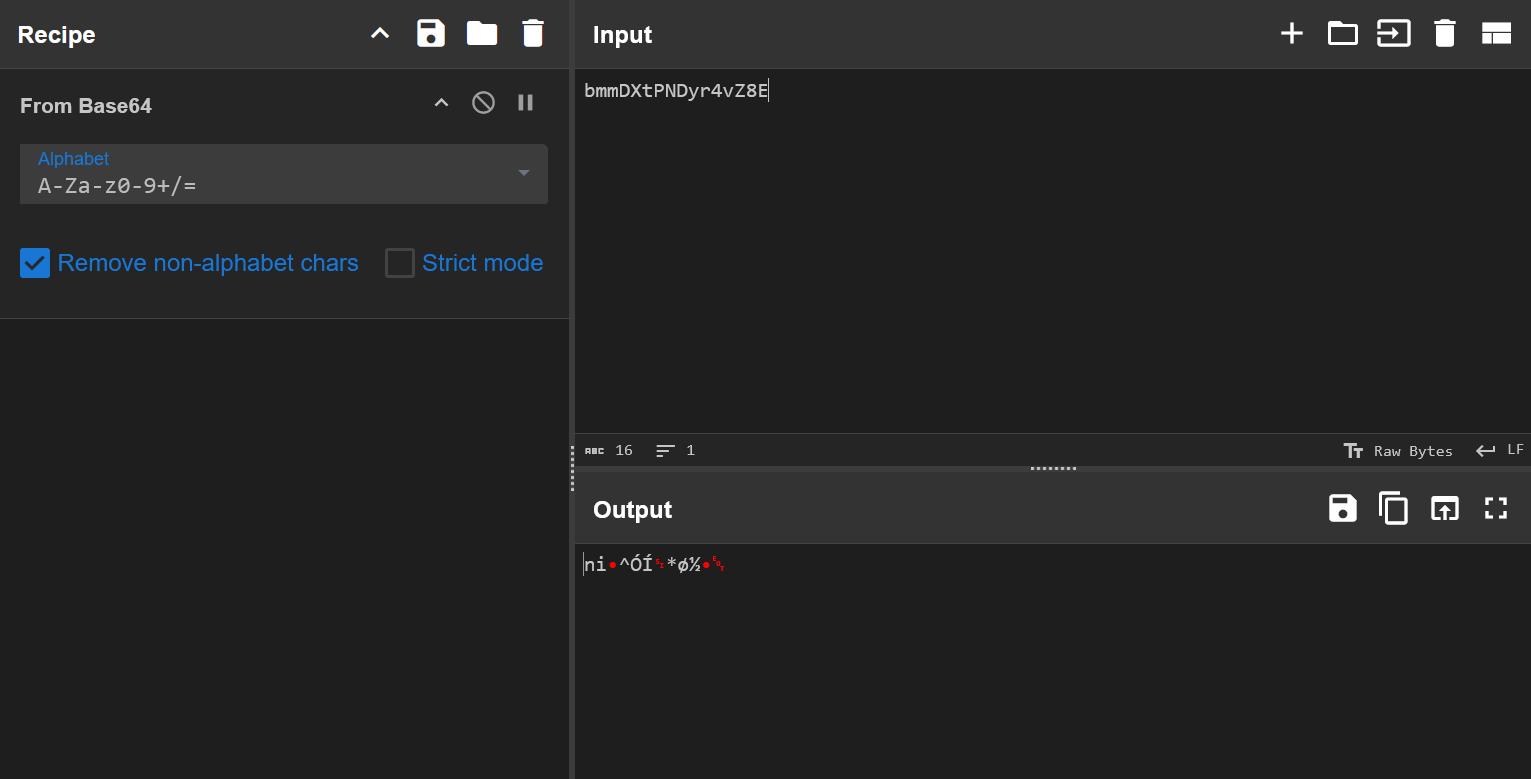
If you’re able to reverse a Windows binary (unlike me), you will know how the malware set up its encryption/obfuscation scheme. You can then reverse the process to get the de-obfuscated command (Hint: I think it used RC4). This will reveal the task scheduled by the attacker and the leaked API key.
[PARTIALLY SOLVED][easy] Stealth Invasion
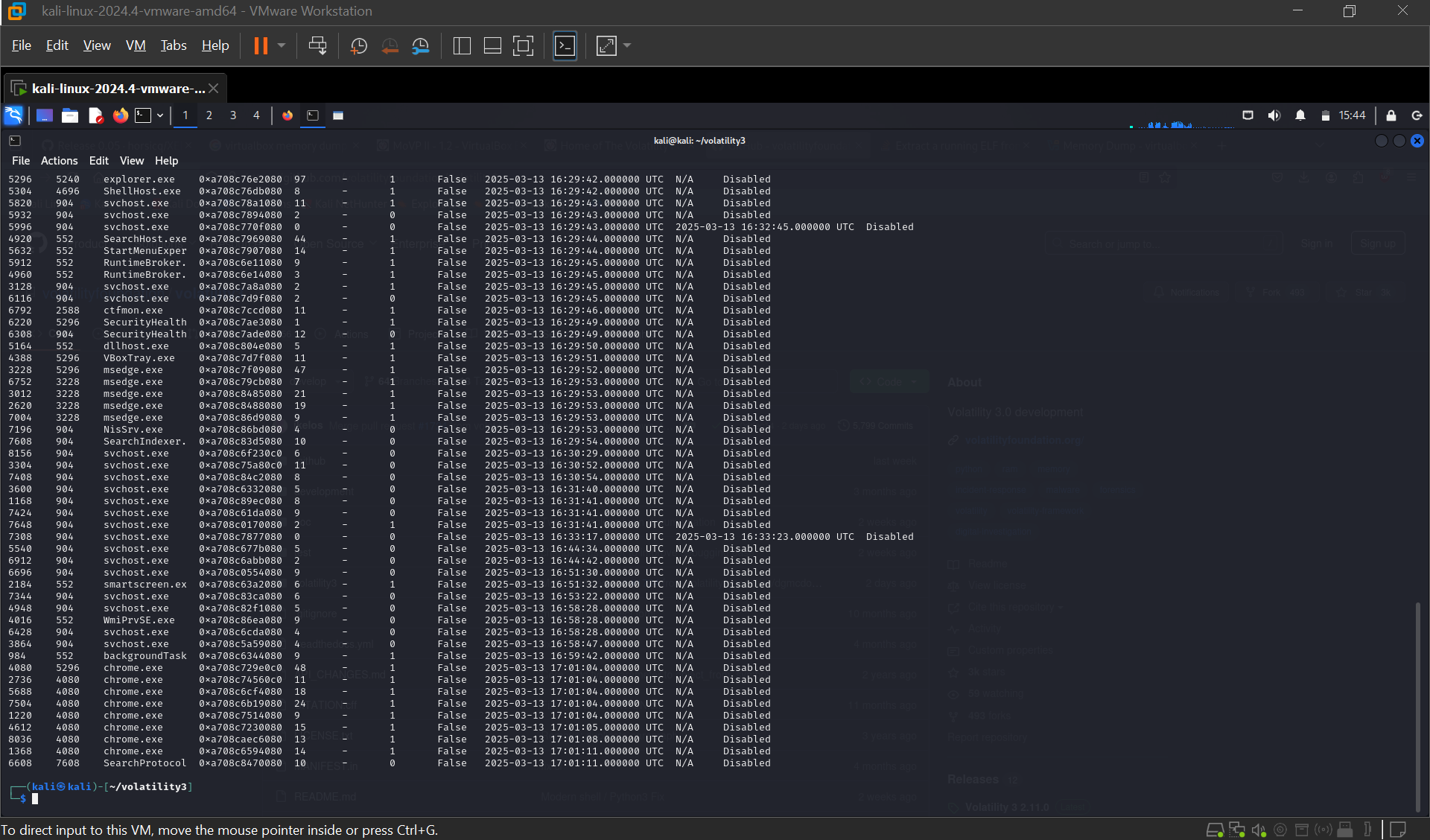
My teammate was working on most of this already but they were stuck trying to find the answer for the first and fifth questions. This time, I was given a memory dump of chrome.exe that ran on a Windows computer. Since the memory dump was an elf file, I tried using the readelf command and filter for interesting strings to inspect. However, this approach was very slow and ineffective, since that memory dump was 1.4GB with a bunch of strings. So, I tried a different approach using Volatility this time.
What is the PID of the first chrome process?
And I got the PID of the process with just one simple command lol.
What was the URL visited by the victim?
Now this question got me stuck for ages because it’s not really clear what this means… You’ll see what I mean in a minute. After tackling the first question, I went ahead trying to solve this one. I dumped the files used by the chrome PID and found out it has a SQLite history and some interesting MANIFEST logs.
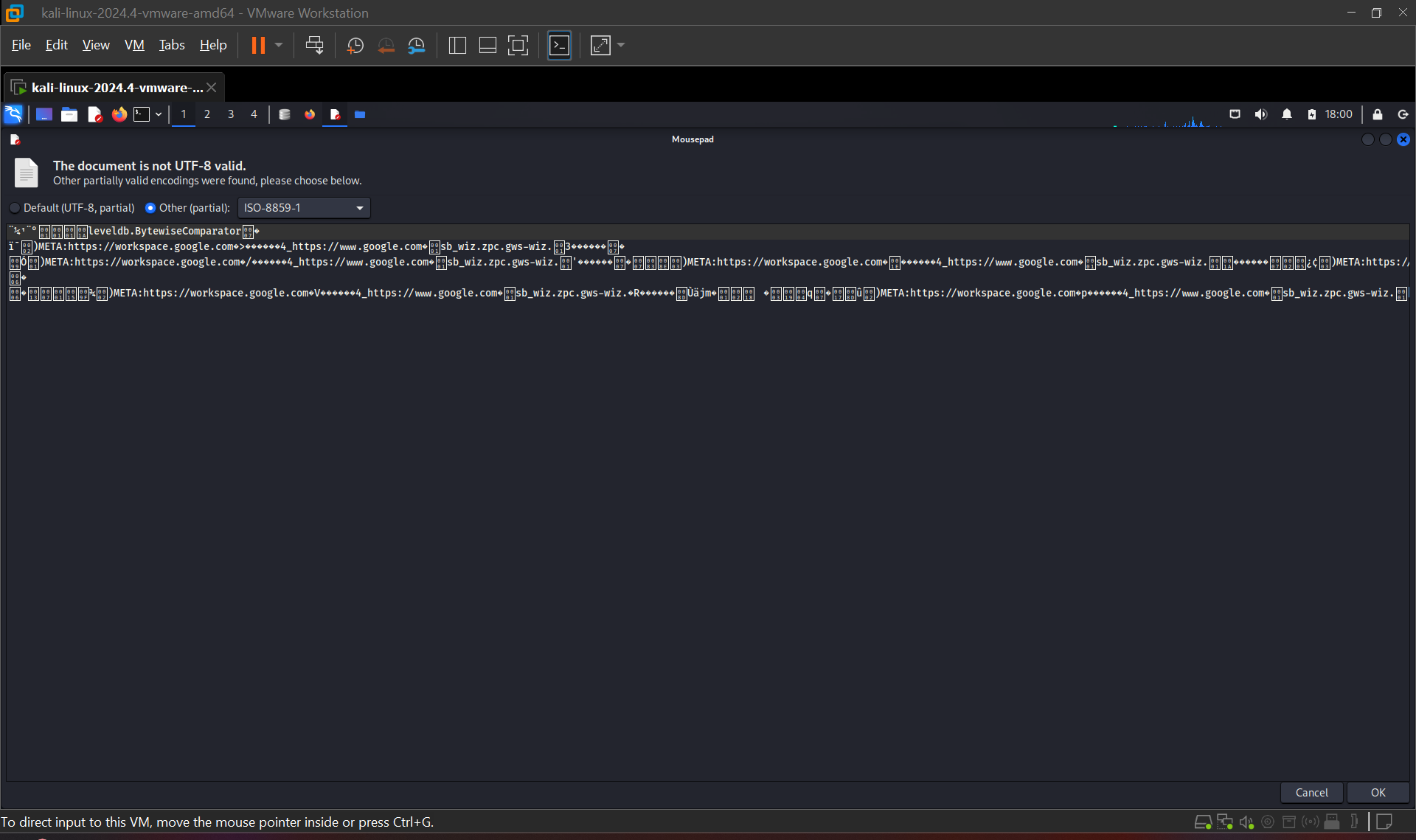
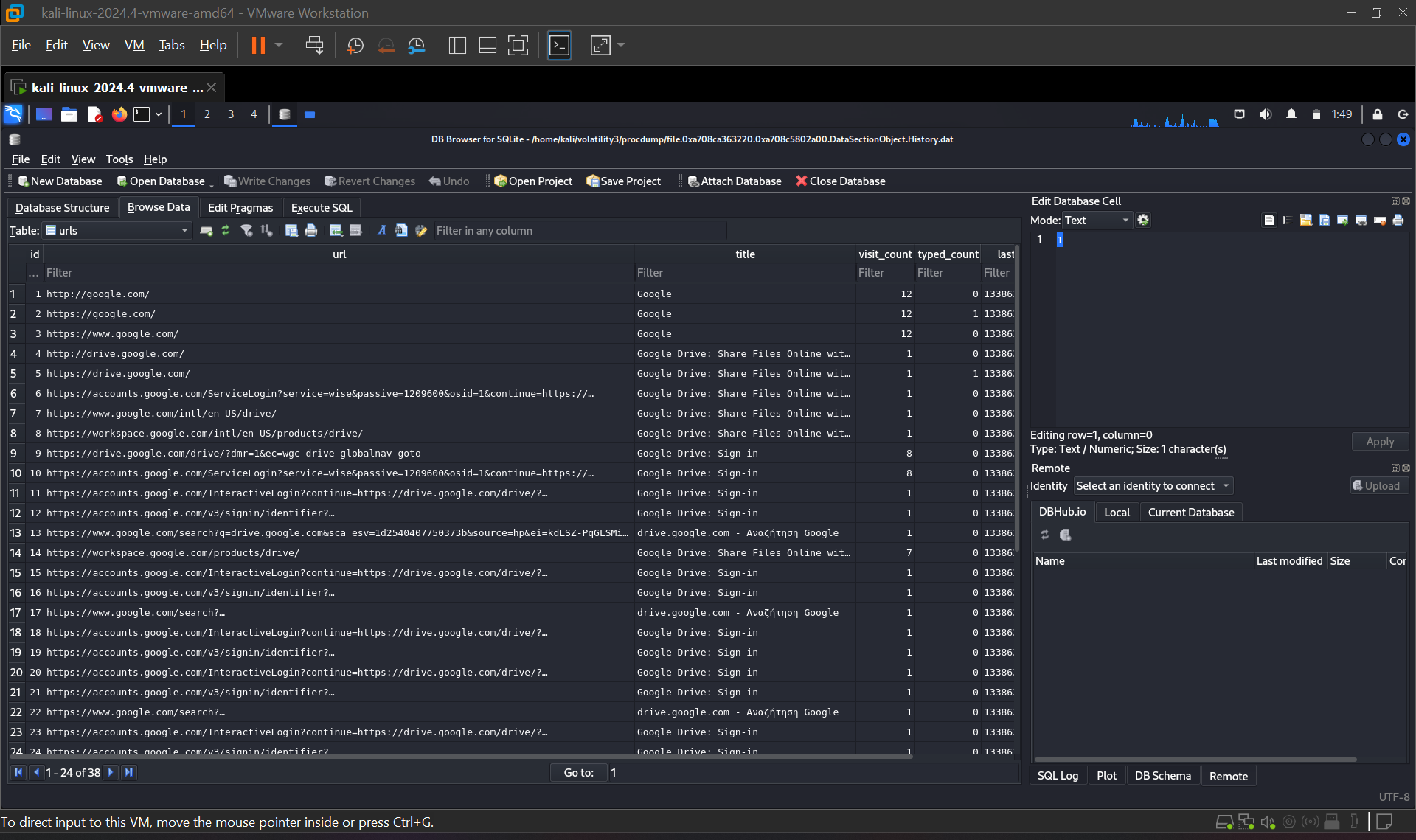
It’s clear that the victim was trying to access a Google Workspace URL, that is foreign to her judging from the visit count. Most of the URLs visited were also redirection link, seen from the full URL’s path which was suspicious since it implied that the malicious extension might’ve tricked our victim to sign in or give unnecessary permissions. At this point, I was submitting links back and forth but nothing was accepted as the answer so I thought maybe it wasn’t the Google Workspace links.
Apparently it is, and I think the official WU said it’s specifically Google Drive but then again how am I suppose to know which stage of this redirection madness is considered as the point of compromise or the link the victim visited? I feel like the question could be better worded but overall, it’s still a fun challenge tho!
Conclusion
Very fun, very cool, very confusing but 10/10 would do it again. Thank you to the Primitiv3s team for letting me play and bring them 6 flags in total 🫡